Keeping up with social media design can quickly become overwhelming. Every platform demands a different size, each campaign needs a fresh visual approach, and without a designer available all the time, the pressure builds fast. Many creators and business owners spend hours adjusting layouts, resizing graphics, and second-guessing design choices, only to feel behind schedule again.
That frustration is common, especially when consistency and speed are equally important. Designing everything from scratch may sound ideal, but in reality it slows content production and drains creative energy. This is where free social media templates quietly change the entire workflow.
Why Free Templates Are a Practical Solution
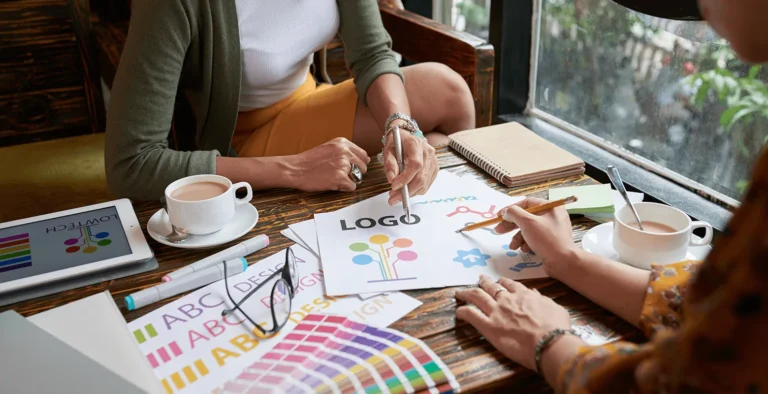
Free templates remove the need to start with a blank canvas every time. Instead of worrying about layout, spacing, and sizing, you begin with a structure that already works. All you need to do is add your text, swap an image, and adjust colours to match your brand.
This approach keeps your posts looking polished without the time investment of custom design. Templates also help maintain visual consistency across platforms, which is essential for building a recognisable social media presence.
From Frustration to Flow in Content Creation
Once templates become part of your routine, content creation feels lighter. You stop worrying about technical details and focus more on messaging and storytelling. The result is faster posting, better-looking visuals, and far less stress.
Templates are not about cutting corners. They are about working smarter and protecting your time.

Canva as the Go-To Platform for Quick Social Designs
Canva is often the first tool people think of when it comes to free social media templates, and for good reason. It offers a massive library of ready-made designs for Instagram, Facebook, TikTok, LinkedIn, and many other platforms.
Even on the free plan, there are enough templates to support regular posting. Canva is especially useful when time is limited and you need something that looks good without overthinking design details.
Ease of Use for Non-Designers
Canva’s drag-and-drop interface makes it accessible even if you have no design background. Fonts, colours, and layouts are easy to adjust, which helps templates feel more personal instead of generic. For quick edits and last-minute posts, Canva remains one of the most reliable options.

Pikwizard for Fast, Professional-Looking Posts
Pikwizard is often known for free stock photos and transparent PNGs, but its editable social media templates are just as valuable. The real strength of Pikwizard lies in how quickly you can turn a strong image into a finished social post.
Instead of designing visuals first and then searching for photos, Pikwizard lets you start with the image and build the post around it. This approach is ideal when you are short on time but still want professional results.
When Speed Matters Most
Pikwizard is especially useful during busy weeks or unexpected campaigns. You can choose an image, add text, and publish within minutes. The designs feel clean and practical, which works well for brands that value clarity over heavy visual effects.

Adobe Express for a More Polished Look
Adobe Express, formerly known as Spark, offers free templates that feel slightly more refined. The designs often have a more editorial or premium look, which can help posts stand out in crowded feeds.
For brands that want a cleaner, more professional visual style without investing in custom design, Adobe Express is a strong option.
Standing Out Without Overdesigning
Adobe Express works well when you want your content to feel intentional and well-crafted. It suits announcements, promotional posts, and brand storytelling where presentation matters just as much as content.
VistaCreate for Trendy and Eye-Catching Design
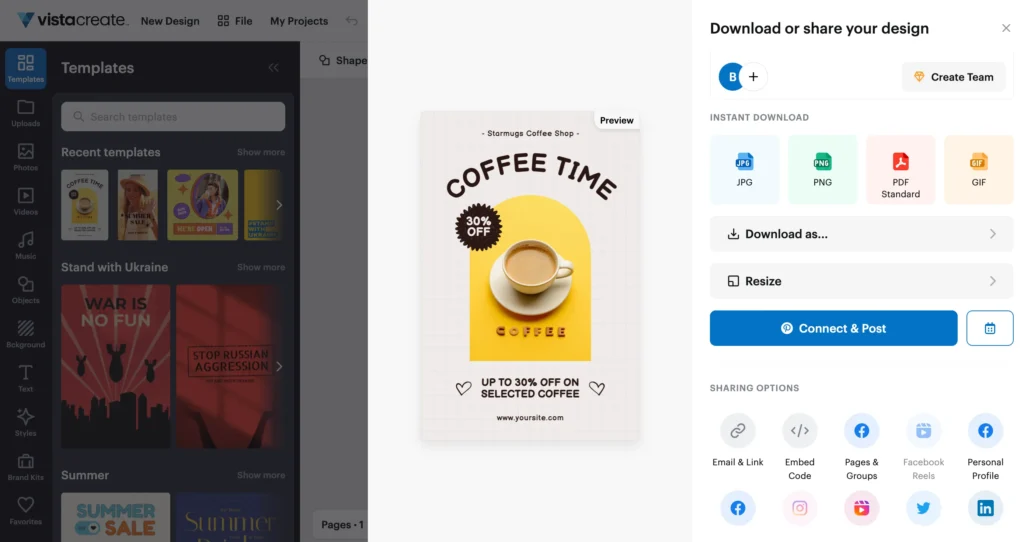
VistaCreate, previously known as Crello, focuses on modern and visually bold templates. It is particularly useful for Instagram Stories and Pinterest graphics, where movement and visual impact play a big role.
The templates feel current and energetic, which makes them a good choice for lifestyle brands, creators, and visually driven campaigns.
Maintaining Visual Energy Across Platforms
VistaCreate helps add variation without losing consistency. When used alongside a clear brand style, its templates can keep feeds feeling fresh while still recognisable.
Making Templates Feel Like Your Brand
| Tool | Best Use Case | Strength | Ideal For |
|---|---|---|---|
| Canva | Fast social media post creation | Huge template library, very easy to use | Beginners, small businesses, daily posting |
| Pikwizard | Image-focused social media posts | High-quality stock photos + editable templates | Quick professional posts, image-first content |
| Adobe Express | Clean and polished designs | More premium, designer-style templates | Brands wanting a refined, professional look |
| VistaCreate | Trendy and visual content | Modern, eye-catching layouts | Instagram Stories, Pinterest, lifestyle brands |
Templates work best when they are customised thoughtfully. Leaving default colours and fonts untouched often makes designs feel generic. Small changes can make a significant difference in how professional and unique your posts appear.
Using your brand colours, matching fonts, and consistent photo styles helps templates blend seamlessly into your overall visual identity. Over time, this consistency builds recognition and trust.
Frequently Asked Questions (FAQS)
What are free social media templates?
Free social media templates are pre-designed layouts made for platforms like Instagram, Facebook, TikTok, and LinkedIn. You customise them by adding your own text, images, and branding instead of designing from scratch.
Where can I find free social media post templates?
You can find free templates on platforms such as Canva, Pikwizard, Adobe Express, and VistaCreate. Each offers a free plan with enough options for most creators and small businesses.
Are these templates really free to use?
Yes, all these tools offer free templates, but they also include paid elements. Always check whether a design or image is marked as free before downloading or publishing.
Can I use free templates for business or client work?
In many cases, yes, but licensing rules differ by platform. It is important to review the terms of use for Canva, Pikwizard, Adobe Express, and VistaCreate before using templates commercially.
Which tool is best for beginners?
Canva is usually the easiest starting point due to its simple interface and large template library. Pairing it with Pikwizard images makes content creation even smoother for beginners.
Do these tools use the correct social media sizes?
Yes, most template tools automatically apply the correct dimensions for each platform. You simply choose the format, such as Instagram Story or LinkedIn post, and the size is set for you.
How do templates help with social media marketing?
Templates save time, improve visual consistency, and make regular posting easier. This leads to a more professional-looking feed and better long-term engagement.
Can templates support content planning?
Yes, many creators use templates to batch-create posts in advance and align them with a content calendar. This reduces last-minute stress and improves posting consistency.
Final Thoughts on Using Free Social Media Templates
Free social media templates are not a shortcut; they are a smart system for staying consistent and efficient. When used correctly, they allow you to focus on content quality instead of design stress.
By combining tools like Canva, Pikwizard, Adobe Express, and VistaCreate, you can build a flexible workflow that supports your brand, saves time, and keeps your social media presence looking professional without burning out.
For more
For more exclusive influencer stories, visit influencergonewild